 ••••••• ••••••• ••••••• ••••••• ••••••• ••••••• ••••••• ••••••• ••••••• •••••••
|
||||||||
|
. Topping E2x2 OTG Review2-in/2-out USB Audio Interface Peter Kun Frary. .
|
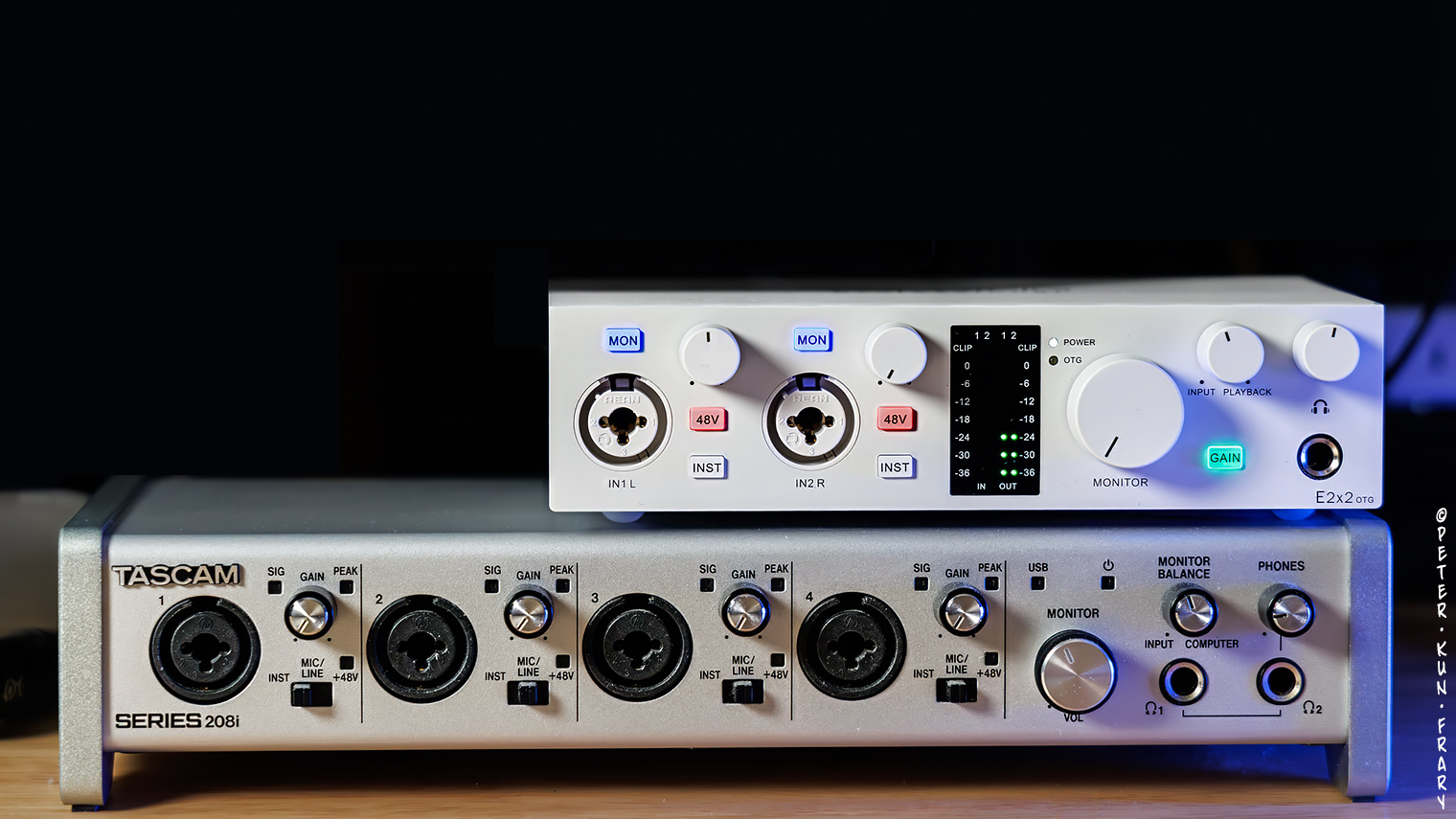

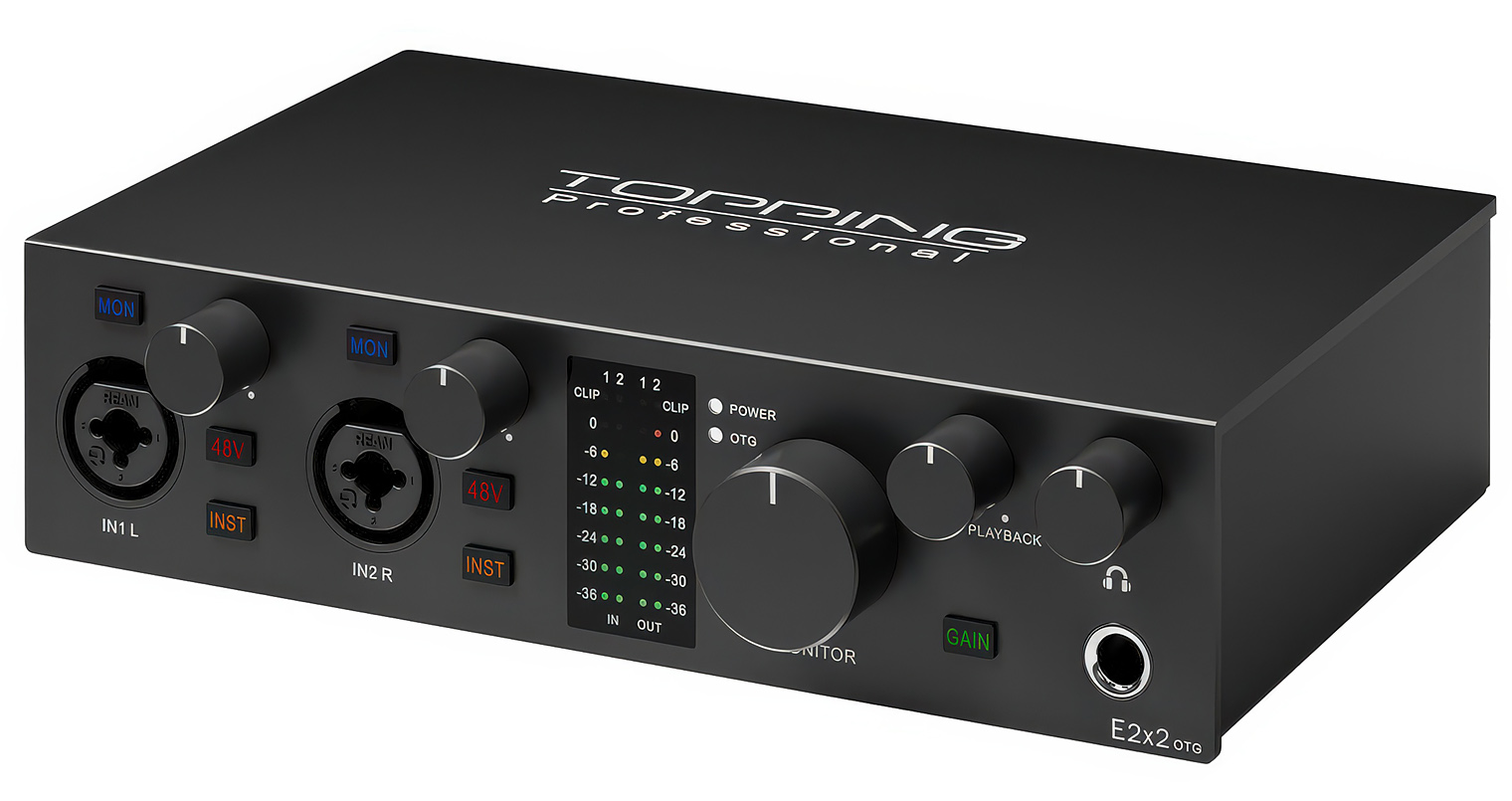
 RFI Resistance
 Controls

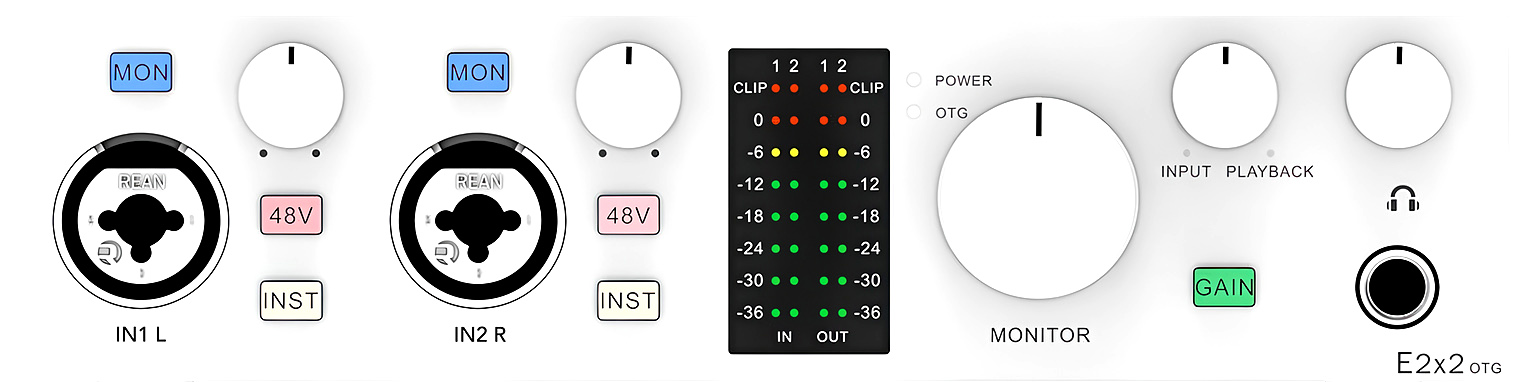
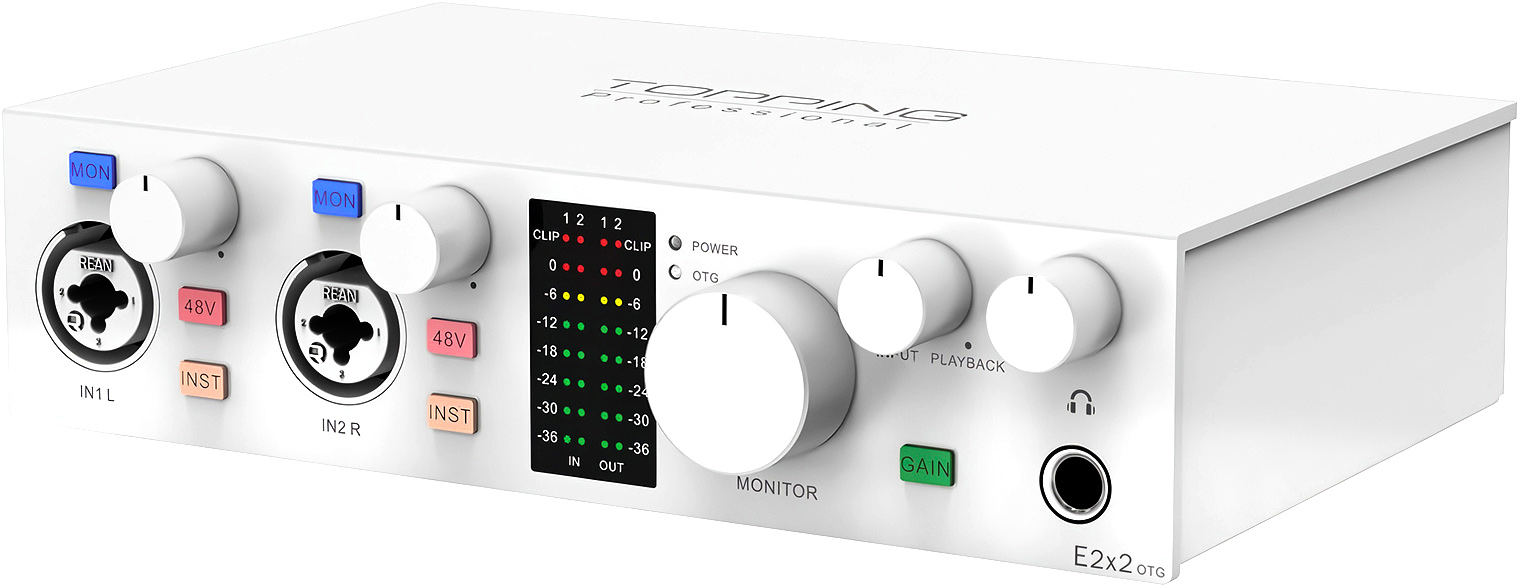
Input channels have a color LED meter calibrated from -36 dB to clipping in 6 dB increments. Outputs have an LED meter too. Output meters are not essential but look nice in the dim light of my man cave. |
|
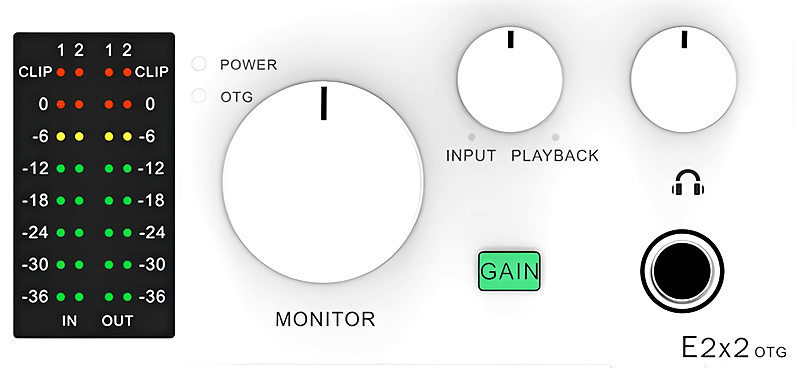
Calibrated meters are rare in this price class and are actually useful for gain staging. Simple clip LEDs or hippie rainbows surrounding a gain dial are more common and nearly useless for gain staging.
Power Switch
Hallelujah, the E2x2 OTG has a power switch! The rear-mounted rocker switch is easy to find by feel and has a satisfyingly tactile snap when flipped.
The E2x2 OTG was on my short list of interfaces with power switches, e.g., MOTU, Universal Audio, etc. Most units in this price range—e.g., SSL, Arturia, Focusrite, Audient, etc.—lack power switches.
Topping E2x2 OTG | Praise be, a power switch! | Image courtesy Topping
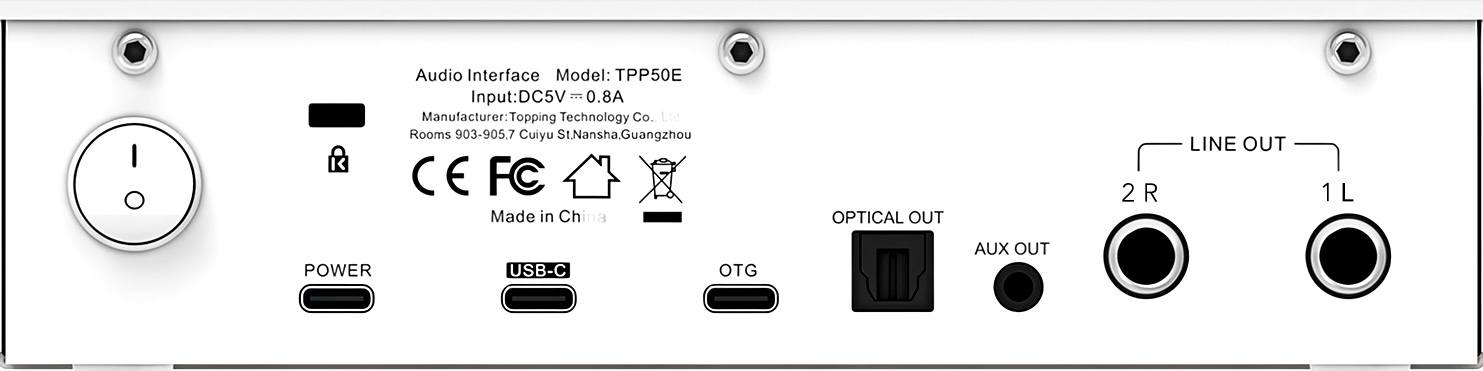
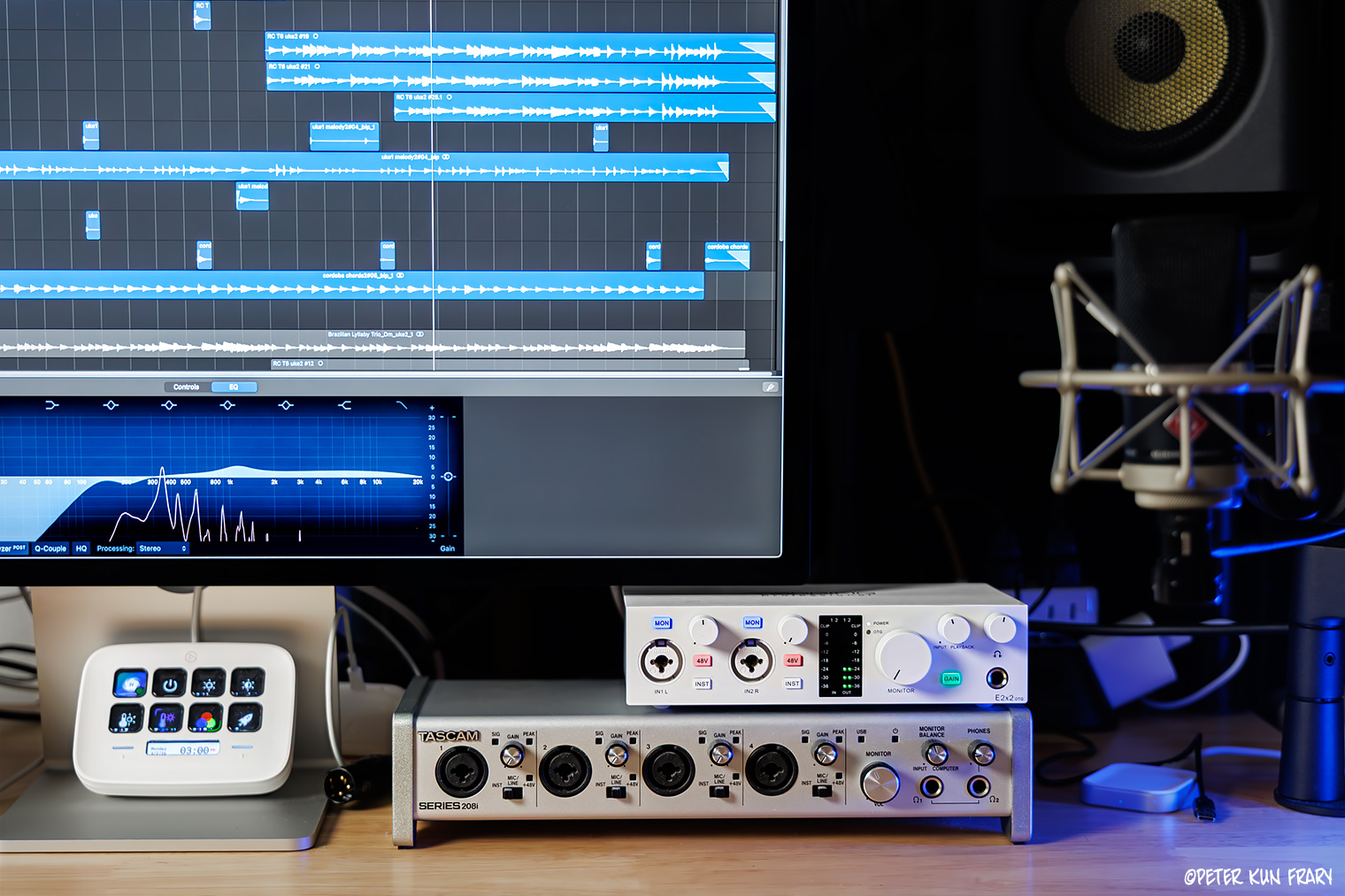
When connected to a computer, the middle USB-C port transfers both data and power to the E2x2 OTG. I plugged it into a powered USB-C hub, and it works perfectly with my Mac Studio M4 Max. Yes, a direct connection to the computer is preferred, but I'm juggling four audio interfaces, three hubs, printer, scanner, a fleet of hard drives, and an Elgato Stream Deck!
For phones, tablets, and computers that lack sufficient power for operation via USB, a second power-only USB-C port (far left) is used for auxiliary power.
 Connectivity
Inputs
The E2x2 OTG, like the original E2x2, is a 2-in/2-out design. In other words, it has two input channels for mics or instruments and two output channels for stereo monitors. The star of the show are the two ultra-linear mic preamps with 58 dB of gain, 115 dB dynamic range, and -130.5 dBu EIN. That means they are ultra-clean and, to my ears, neutral and colorless.
Most of the preamp gain adjustment range is smooth and even, but near 3 o'clock jumps to larger increments. You may not notice with condenser mics since they have modest gain requirements, but I tried a Shure SM57—a gain-hungry dynamic mic—and noticed the large gain jump near the end of the range.
Topping E2x2 OTG | Two XLR combo jacks | Image courtesy Topping
OTC
A mysterious USB-C port labeled OTC is found on the rear panel. OTG stands for USB On-The-Go. It enables smartphones and tablets to host USB peripherals without a computer. For example, one may connect the E2x2 OTG to an iPad to live stream to YouTube. I only do audio and video production on Canon mirrorless and Mac computers, so I didn't test OTG. However, those who prefer to use smartphones will like this feature. A USB OTG cable—not included—is required for this feature to work.
Outputs
The primary audio outputs are the stereo headphone jack (1/4") and two TRS outputs. All the outputs you need for monitoring monophonic and stereo recordings. I have the 1L and 2R mains connected to KRK Rokit 5 monitors. Plenty of signal to drive these monitors at desk-rattling volume.
If you're a budding movie producer, know that surround sound monitoring is not feasible with only two outputs. For 7.1 surround sound, you need an interface with eight outputs, e.g., Tascam Series 208i, to drive seven monitors and a subwoofer.
Topping E2x2 OTG | Image courtesy Topping
The E2x2 OTG has a mini-pin (3.5 mm) AUX analog stereo output to connect to consumer speakers or DJ gear, and an OPTICAL OUT (SPDIF) to transmit the mains as digital data for outboard processing.
Headphones
Most of my production work—recording, editing and mixing—is done with headphones, making the headphone amp the most used feature of an interface. Out of respect for household members, I only use studio monitors for final checks and small adjustments.
The secret weapon of the E2x2 OTG is its headphone amp, likely adapted from Topping's Wi-Fi designs, and besting the performance of more expensive interfaces. Topping's NFCA-LE headphone amplifier sounds great and works with ultra-sensitive earbuds and high-impedance, gain-hungry headphones.
| For gain-hungry cans, a gain boost switch (green button) provides an additional 17 dBu. Don't use this button for earbuds or low-impedance cans. With gain boost engaged, my 300 Ohms (Ω) Sennheiser HD650 are very loud at 9:00 o'clock on the gain dial. With the same headphones, the Tascam Series 208i interface has about the same volume at the 9:00 o'clock position. However, 208i gain can't be adjusted low enough for earbuds, whereas the Topping works well for earbuds with gain boost off. |
|
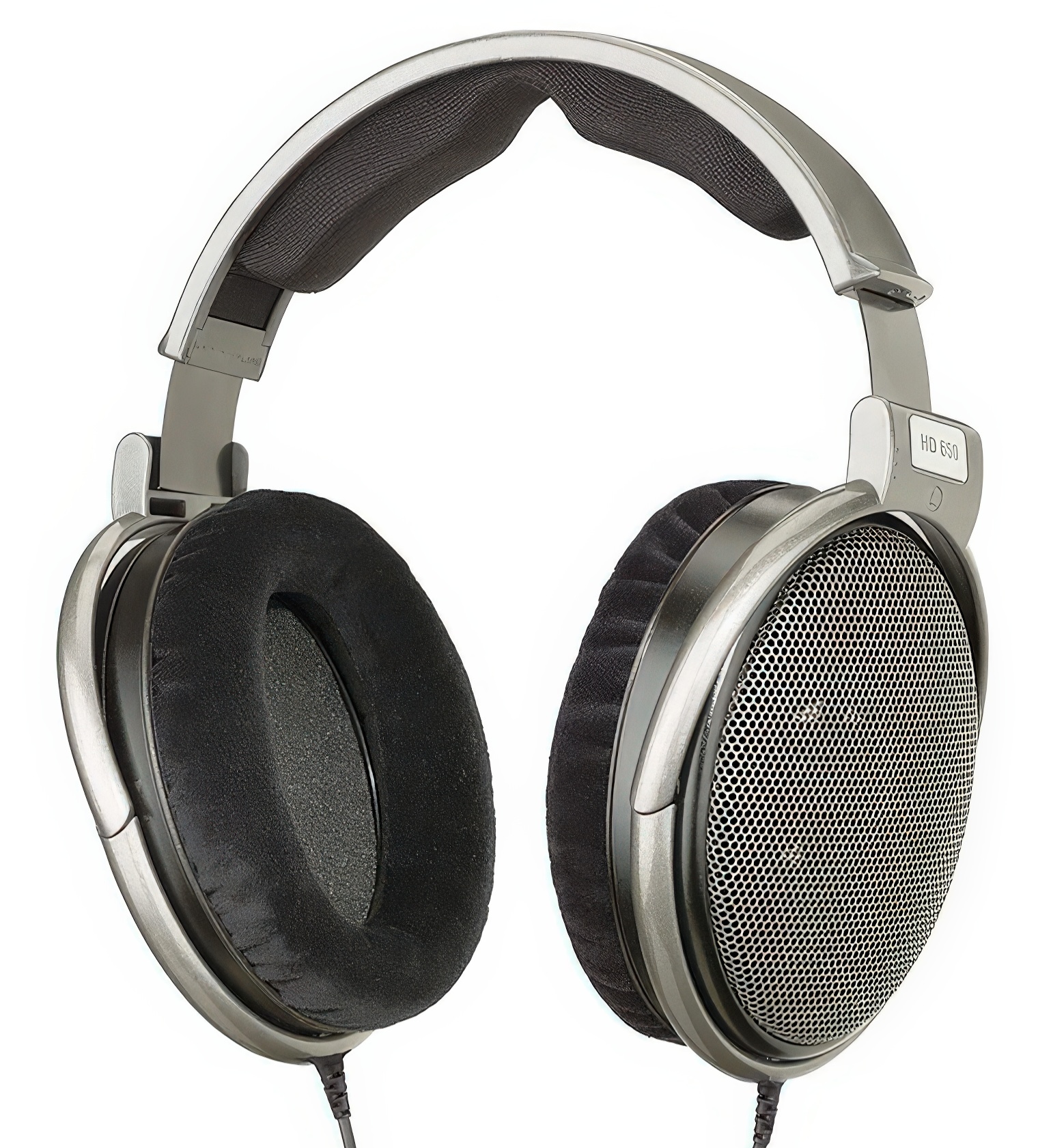
Initially, I found the E2x2 OTG okay but not significantly better than the headphone amp in the Tascam Series 208i. After a month of regular use, I needed to switch between the Series 208i and E2x2 OTG during a mixing session. The difference was astounding. Apparently, the E2x2 OTG needs to burn in to reach full potential and bested the headphone output of the Series 208i in every way.
Does the E2x2 OTG sound better than an iFi Zen Can headphone amp? No, but it's close and better sounding than other interfaces I've owned, including the above average headphone amp in the Tascam Series 208i.
MIDI MIA
If connecting MIDI controllers, drum machines, and synths is important to you, buy a different interface. The E2x2 OTG doesn't have MIDI. I'm an acoustic musician and don't use MIDI, so it's not an issue for me. However, many interfaces in the same price range as the E2x2 OTG come with MIDI: MOTU M2, Tascam US-2x2HR, Arthurian Mini Fuse 2, etc.
Topping E2x2 OTG | Illuminated buttons engaged during a mix session.
USB
The E2x2 OTG sports three USB-C ports for power and connection to computers, tablets and phones. Two meter USB-C to USB-C and USB-C to USB-A cables are included in the box.
 Software
Mac Drivers Not Needed
The E2x2 OTG is Core Audio compliant. In other words, plug-and-play on the Mac and requires no drivers. I'm running Sequoia 15.7.4 and all is well.
I’ve used the E2x2 OTG on a Mac Studio M4 Max using Logic Pro X, TwistedWave, GarageBand, and Adobe Audition without any issues. Power on the E2x2 OTG before opening the DAW, and immediately start tracking. No restarts or cable pulls are required. If I forget to turn on the E2x2 OTG before opening Logic Pro, it warns me the interface is off line but recognizes it after a few seconds.
Topping Professional Control Center
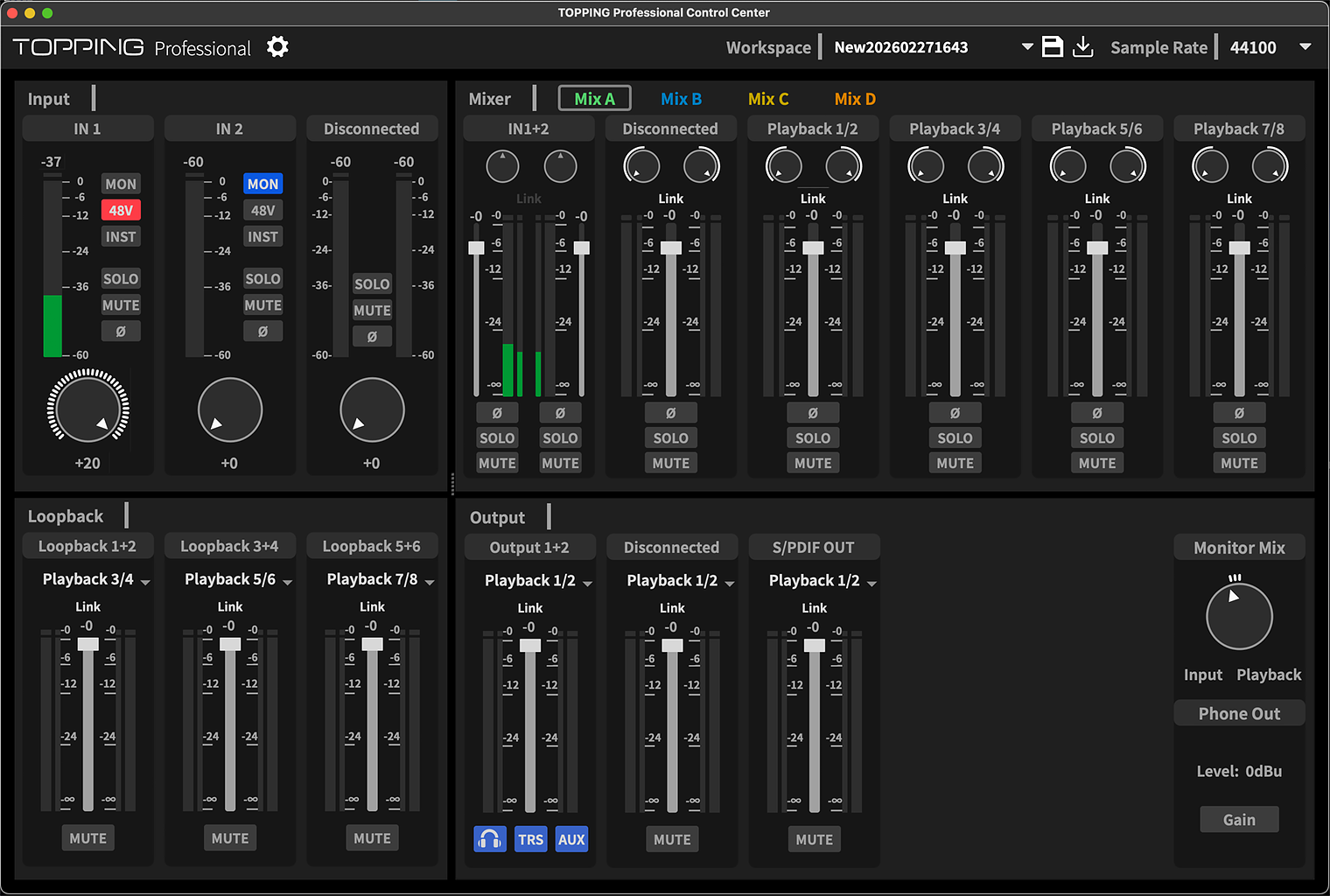
A wee application with a grandiose title—Topping Professional Control Center (Pro Control)—is the only software provided. While optional for Macs, it is required for Windows. Pro Control is used to configure routing, loopbacks, digital gain, and some physical controls. Sample rate buffer settings are available for Windows but not for Macs. For Macs, buffer and sample rates are configured in your DAW.
Analog preamp gain for the E2x2 OTG is not controllable with this app. However, the app has 20 dB of digital gain available if needed for gain-hungry dynamic or ribbon mics. Most people boost gain in their DAW, but if you're recording with QuickTime or other simple apps, you may find Pro Control gain useful.
Pro Control | Input/output routing, digital gain, and firmware updates.
Pro Control Loopback
Loopback allows capture of audio from computer apps and internet sources, and the subsequent routing of these sources to OBS or a DAW for mixing, recording, or streaming. Unlike interface-mixers such as the RodeCaster Pro II, physical controls can't be configured on the E2x2 OTG to control or trigger loopback. Everything is in the computer software. However, loopback setups can be saved as presets. I use loopback on a Rode Streamer X via Unify for online teaching and found the configuration more intuitive than Pro Control.
I worked on several projects with and without Pro Control, and ultimately, found no reason to keep it installed. I don't need loopback or special routing for recording classical guitar and ukulele. With that said, Pro Control was stable on my Mac Studio under Sequoia 15.7.4 and presented no problems.
 Latency
Most companies claim zero-latency monitoring, including the Topping E2x2 OTG. Is this claim real, useful, or marketing hype?
Latency is a delay in the transmission of audio data, i.e., sound. To synchronize my playing with a multitrack recording, I monitor the tracks with headphones. If there is a significant sound delay in the headphones, more than 10 ms, my playing will lag behind the beat. |
|
Zero Latency?
With a press of the MON switch, zero-latency direct monitoring is available on the E2x2 OTG. When engaged, you hear only your input, e.g., your playing or singing through channel 1 or 2. DAW tracks and metronome are muted. MON is useful for monitoring your voice or instrument during a live broadcast. MON is useless for multitrack music recording where one needs to synchronize with backing tracks. Why? You can't hear the backing tracks.
Monitor Balance
| The Monitor Balance dial, like MON, is capable of direct input monitoring. However, hearing a mix of your direct input and DAW backing tracks is essential for multitrack recording. Use Monitor Balance to adjust the mix ratio between input (your playing) and DAW output. |
|
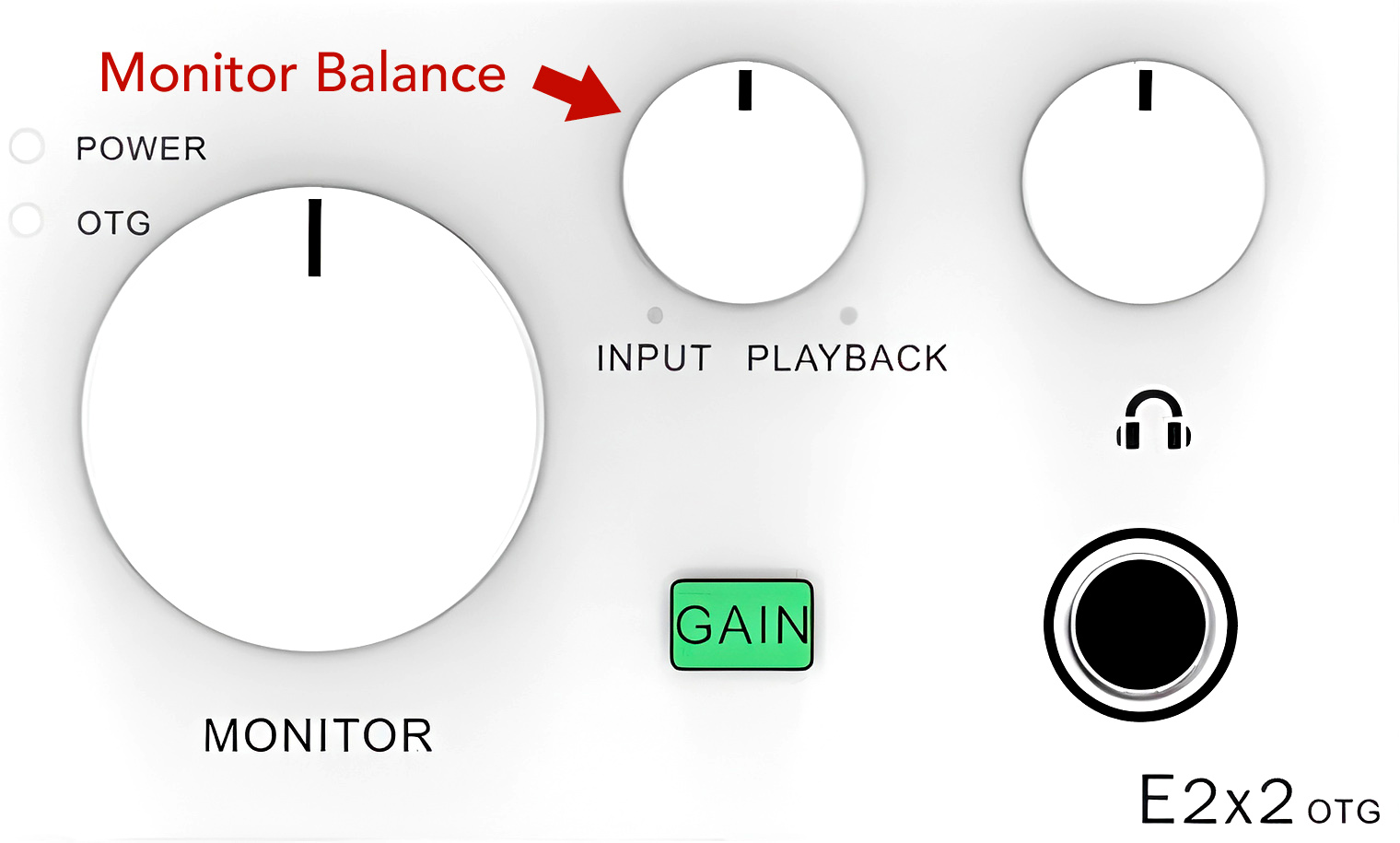
When Monitor Balance is set to the far right, only computer playback is heard. Rotated to the extreme left, only input signal is heard. Setting the dial somewhere between the two extremes allows monitoring of both direct input and DAW tracks.
I prefer the Monitor Balance mix at 10:00 to 11:00, i.e., with stronger input signal but with DAW playback still audible.
Optimize DAW Settings
I need to hear backing tracks when recording, so I manage latency by mixing input and DAW signals and by configuring gear and software for optimal speed. For example, latency may be reduced by increasing the sampling rate and/or reducing the buffer size. With Logic Pro set to 48 kHz with an I/O buffer size of 32 samples, the system calculates round trip time as 7.6 ms. I don't know if this estimate is accurate, but it's fast enough for me to synchronize my playing with the backing track. At 96 kHz and an I/O buffer size of 32 samples, round trip is 6.9 ms.
Logic Pro Settings | Set smaller I/0 buffer sizes to reduce latency.
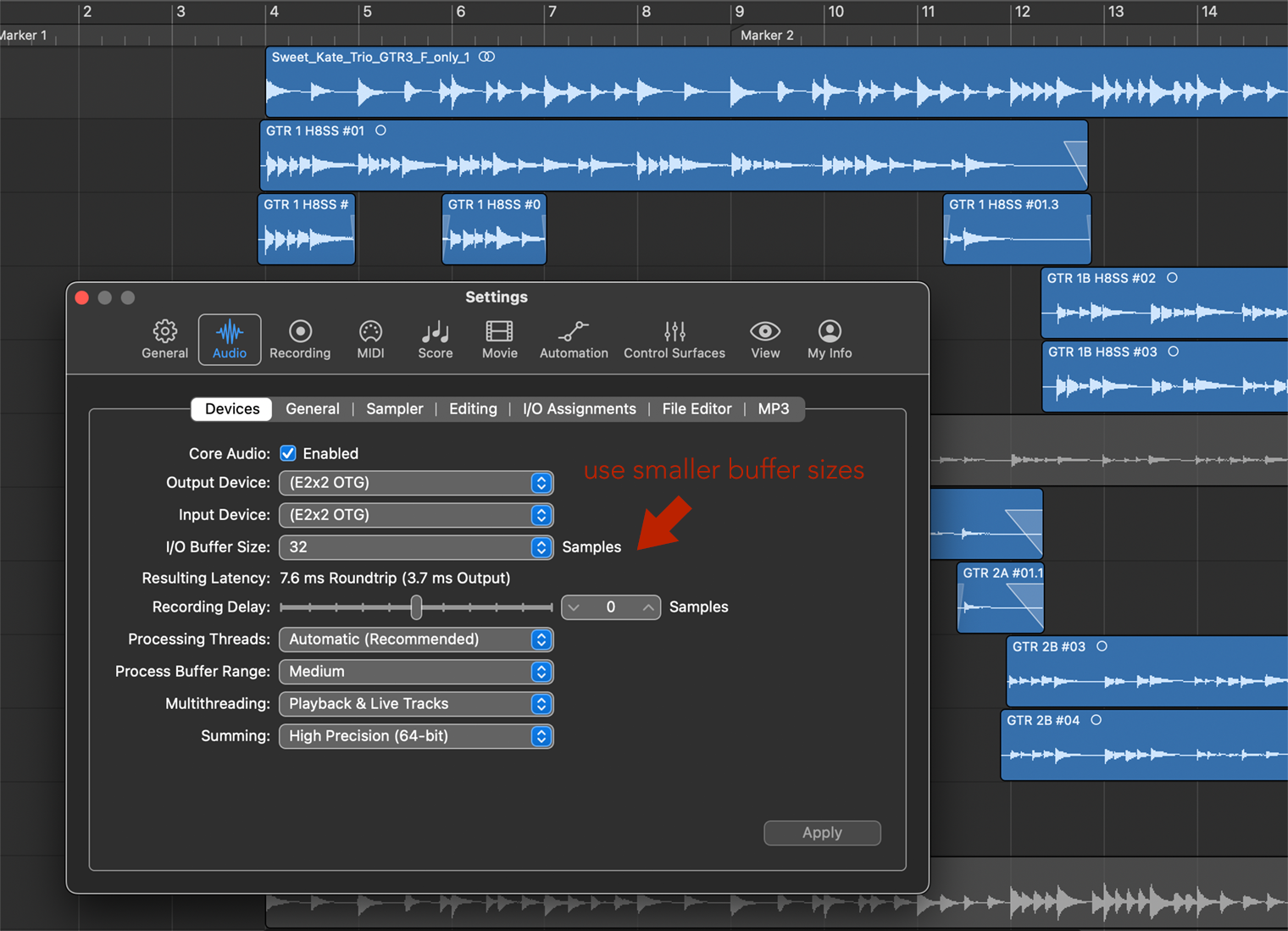
Higher sample rates and smaller I/O buffer sizes increase CPU demand. If pushed too far, recording dropouts may occur with slower CPUs. My Mac Studio M4 Max has no dropouts at any setting, but my MacBook Pro i5 didn’t fare as well.
Logic has a low latency recording mode, further reducing the lag of backing tracks over headphones. Disabling plugins may help reduce latency as well. With most of the above measures in place, latency has not been an issue for multitrack recording on the E2x2 OTG.
 Sound Quality
Instruments
I use an audio interface for multitrack and stereo recordings of classical guitar and ukulele, mostly demonstrations and tutorials for my college courses and YouTube. Although my music has no commercial value, I try to make it sound as good as possible. For guitar and ukulele, I use Neumann KM 184 and TLM 102 mics. These small condenser mics require the use of the 48v phantom power option from the E2x2 OTG.
During sessions, no issues were encountered. Everything worked well: no clicks, pops, or dropouts occurred. Just clean and neutral audio.
Kremona Mari Tenor Ukulele | One of my favorite recording ukuleles.
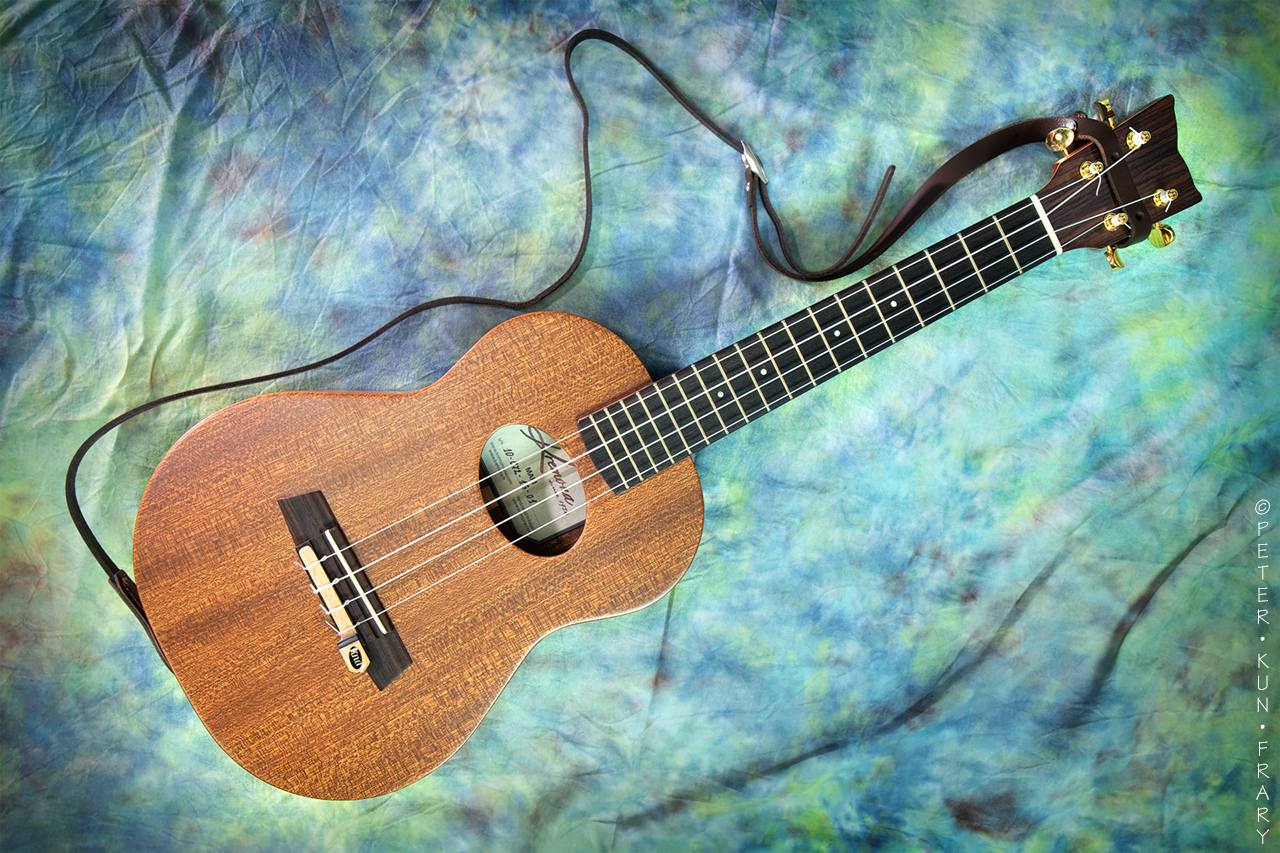
Here's an example of how a Kremona tenor ukulele sounds in a mix as a melodic instrument using two Neumann KM 184 condenser mics in a X/Y stereo configuration pointed at the bridge. Gain was at the 1:00 o'clock position. I used two octaves of the Kremona's range (up to the 12th fret) and managed a few natural harmonics in my original composition, Leeward Coast Redux:
Leeward Coast Redux | by Peter Kun Frary | Kremona Coco and Mari ukuleles, Hirade H8SS guitar and small percussion | Neumann KM 184 mics, E2x2 OTG, Logic Pro.
The ritornello from Jesu, Joy of Man's Desiring was recorded using two Neumann KM 184 mics in a X/Y stereo configuration pointed at the bridge.
The individual tracks of the Brazilian Lullaby were recorded in mono using a Neumann TLM 102 condenser mic aimed at the bridge of the ukulele. For finger picked ukulele, a close-mic’d Neumann TLM 102 needs gain at about the 2:00 o'clock position.
The above tracks were mixed using Beyerdynamic DT 770 Pro X headphones and KRK Rokit 5 Gen 5 monitors plugged into the E2x2 OTG. The Topping DAC renders audio clearly and accurately—almost too much detail!
Topping E2x2 OTG | The buttons—MON, 48C, STR, etc.—appear white when switched off but change color when engaged. | Image courtesy Topping
Spoken Word
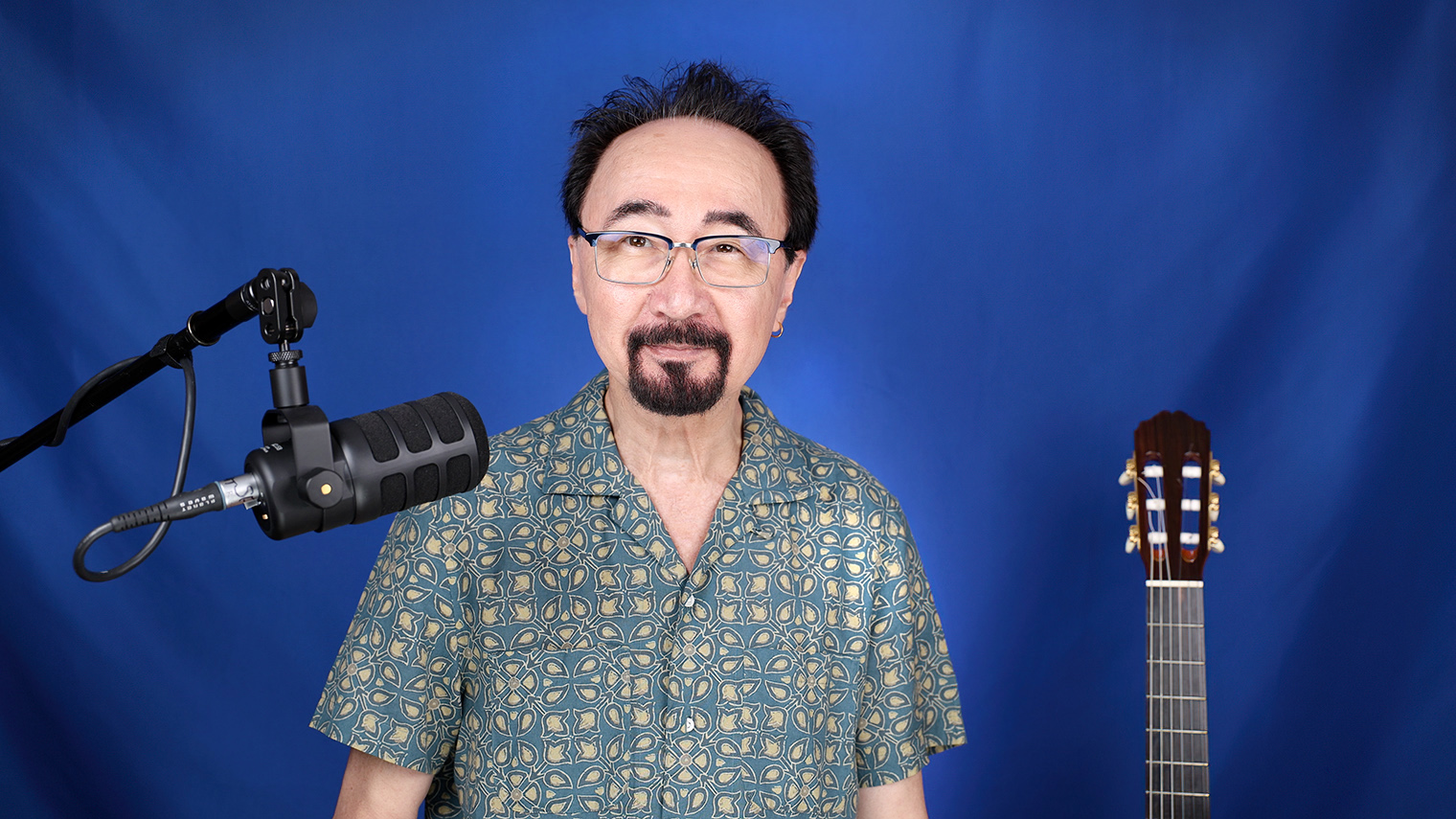
For classical guitar and ukulele, I prefer the sensitivity and fast response of condenser mics. For spoken word, I reach for the more forgiving response of dynamic mics—mics that don't require phantom power. The gotcha of dynamic mics is that they require more preamp gain than condensers. Can the E2x2 OTG deliver enough gain for this soft-spoken music professor?
E2x2 OTG maximum preamp gain is 58 dB, on the low side for dynamic mics. However, these preamps are clean when set to maximum, so extra gain may be added in post-production with excellent results. I usually do it in Logic Pro, but an additional 20 dB of digital gain is also available in Topping Pro Control.
Below are audio samples of spoken word. I spoke 8 to 10 cm away from a Rode Podmic USB dynamic mic, a popular podcasting mic. A foam pop filter was installed. I recorded into TwistedWave at 48 kHz and 24 bits. No processing was used other than normalization to equalize sample volume.
Rode PodMic USB | I'm ready to be a talking head.
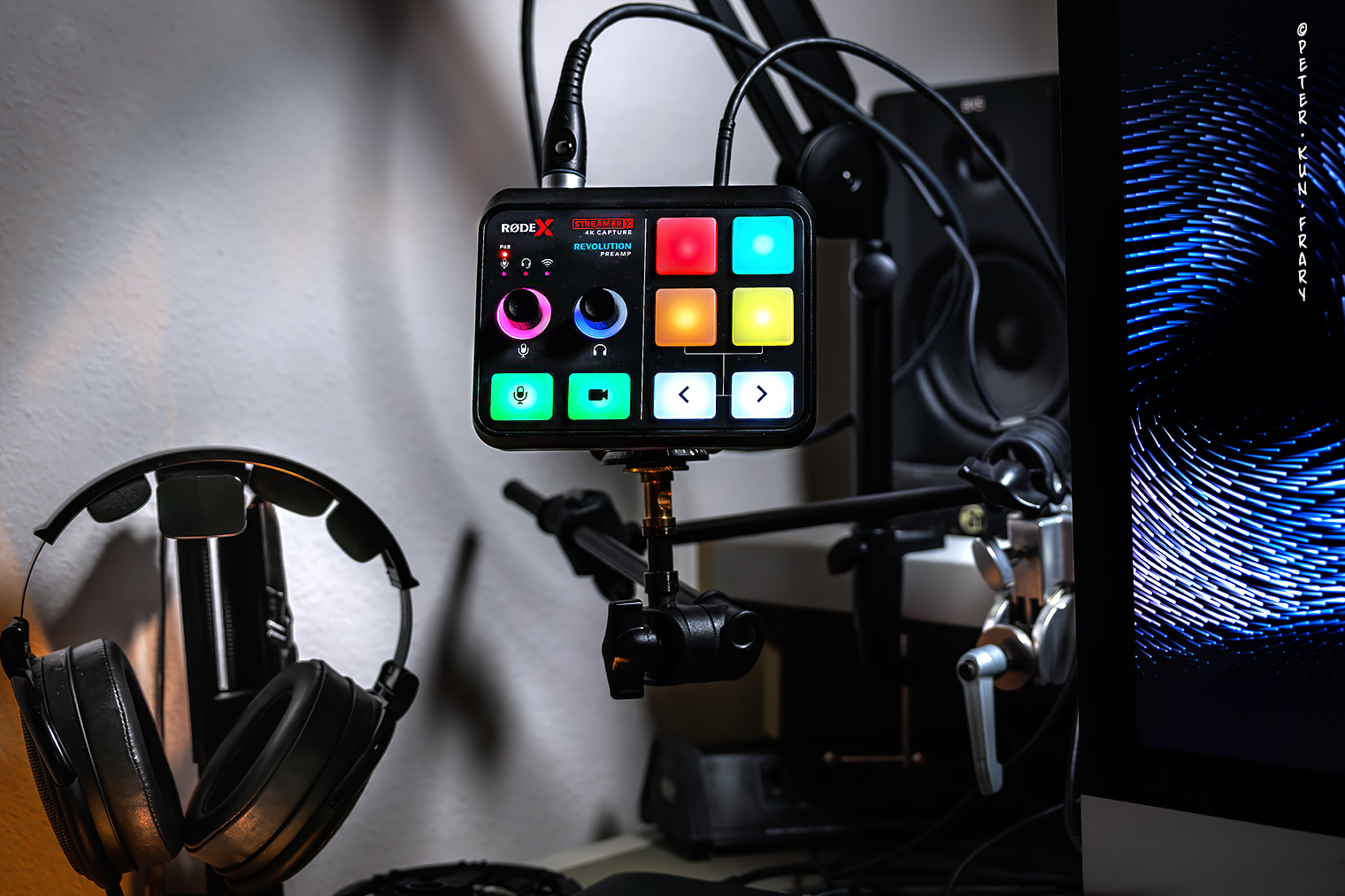
XLR output of the PodMic USB was plugged into the Rode Streamer X with gain set to 63 dB, resulting in a -12 dB average. The Streamer X has an amazingly clean preamp with up to 76 dB of gain, ideal for gain starved dynamic mics.
XLR output of the PodMic USB was jacked into the Topping E2x2 OTG and gain set to maximum. I hoped to see an average of -12 dB but only managed -18 dB. No processing was used other than normalization to match the Streamer X levels. Even with added digital gain, this sample is clean and noise-free.
Rode Streamer X | The Streamer X interface has low-noise, high-gain (76 dB gain and -131.5 dBV EIN) Revolution Preamps, ideal for dynamic mics.
Dynamic Mics and the E2x2 OTC
Back to my earlier question, “can the E2x2 OTG deliver enough gain for this soft-spoken music professor?” Well, sort of: it's good enough in a pinch with digital gain added. Levels were boosted 6 dB to hit the -12 dB average with the PodMic USB. The Shure SM57 and SM58 need more, about a 10 dB boost. I don't own a SM7B, but it is reputed to have less output than the Podmic USB, SM57, and SM58. For spoken word with dynamic mics, I'll stick with my Streamer X. The squeaky clean Revolution preamps with 76 dB of gain spares me extra knob diddling in post-production. Wish I had a music interface with those preamps.
 Musings
The E2x2 OTG is a wonderful piece of kit, and I enjoyed recording and mixing with it. Audio quality between the E2x2 OTG and twice as expensive Tascam 208i is very similar. As a solo musician, the E2x2 OTG gives me the audio quality and basic tools I need but with few extras or advanced features.
In a crowded market of budget interfaces, the E2x2 OTG is not a game changer. Its main distinguishing characteristics over the Scarlett 2i2 and similar interfaces are a little better headphone amp, dB calibrated meters, monitor mix control for input and DAW signals, and a power switch. Most interfaces ship with a DAW and plugins, and the E2x2 OTG has nothing. Nada. Zip. That's okay with me, a hardened Logic Pro user, but a novice will need a DAW before they can record. If you're a Mac user, a good entry-level DAW is on your computer: GarageBand.
Who is the E2x2 OTG for?
The E2x2 OTG is ideal for a singer-songwriter or solo instrumentalist recording at home with condenser mics and/or electronic instruments. With an OTG connection and virtual loopback features, it is also suited for streamers unwilling to spring for a RodeCaster Pro. Finally, it is small enough to take on the road for late-night sessions in hotel rooms.

If you primarily use low-output dynamic mics like the Shure SM7B, find an interface with more preamp gain or buy a Fethead. It’s also not for people planning to record large ensembles, drum kits, or produce surround sound. Those users should look for an interface with more input and output channels, ADAT expansion, MIDI, word clock, etc.
Alternatives
If OTG, AUX, or optical output are not needed, the Topping E2x2 (white) or E2x2 (black) is the same as the E2x2 OTG otherwise but for $40 USD less.
 Final Blurb
The design of the Topping the E2x2 OTG audio interface is focused squarely on squeaky clean audio and basic features at a modest price. Plus, it is attractive, plug-and-play on Macs, and requires little desktop space. It works each and every time I flip the big, beautiful on/off switch. No restarts, cable pulling, or drivers were needed. Such reliability allows me to stay in my happy place and concentrate on making music.
Finally, please help support this website by purchasing the white Topping E2x2 OTG at Amazon. If you prefer black, buy this E2x2 OTG instead.

 Major Features and Specs
2 ultra-linear mic preamps with 58 dB of gain and 115 dB dynamic range
Individual 48 v phantom power switches for preamps
2 XLR/TRS combo inputs
2 balanced TRS mains out with 127 dB dynamic range
optical (SPDIF) output
3.5 mm TRS AUX output
6.35 mm (1/4") headphone output (NFCA-LE) at 580 mW x 2@RL=32 Ohm
3 USB-C 2.0 ports (computer, OTG and power)
Up to 192 kHz/24-bit WAV recording (44.1, 48, 88.2, 96, 176.4 and 192)
Frequency Response of 20 Hz–40 kHz (+/- 0.2 dB)
Zero-latency direct monitoring with MON switch engaged
Included accessories
USB-C to USB-C and USB-C to USB-A cables
3.5 mm stereo to 6.35 mm stereo adapter
Size and Weight
18.7 cm x 12.9 cm x 5.0 cm (W×H×D)
530 g
Country of Origin
People's Republic of China
Instruction Manual
Price
$199.00 USD
Website
03/03/2026

©Copyright 2026 by Peter Kun Frary | All Rights Reserved
•••••••••••••••••••••••••••••••••••